OmniCore Remote Supportevery company PC, one console
See and control any Windows device with the employee informed, fix it from a terminal, and let Copilot answer tickets first. Extend it with plugins as your network grows.
Built for the IT team, extended by plugins
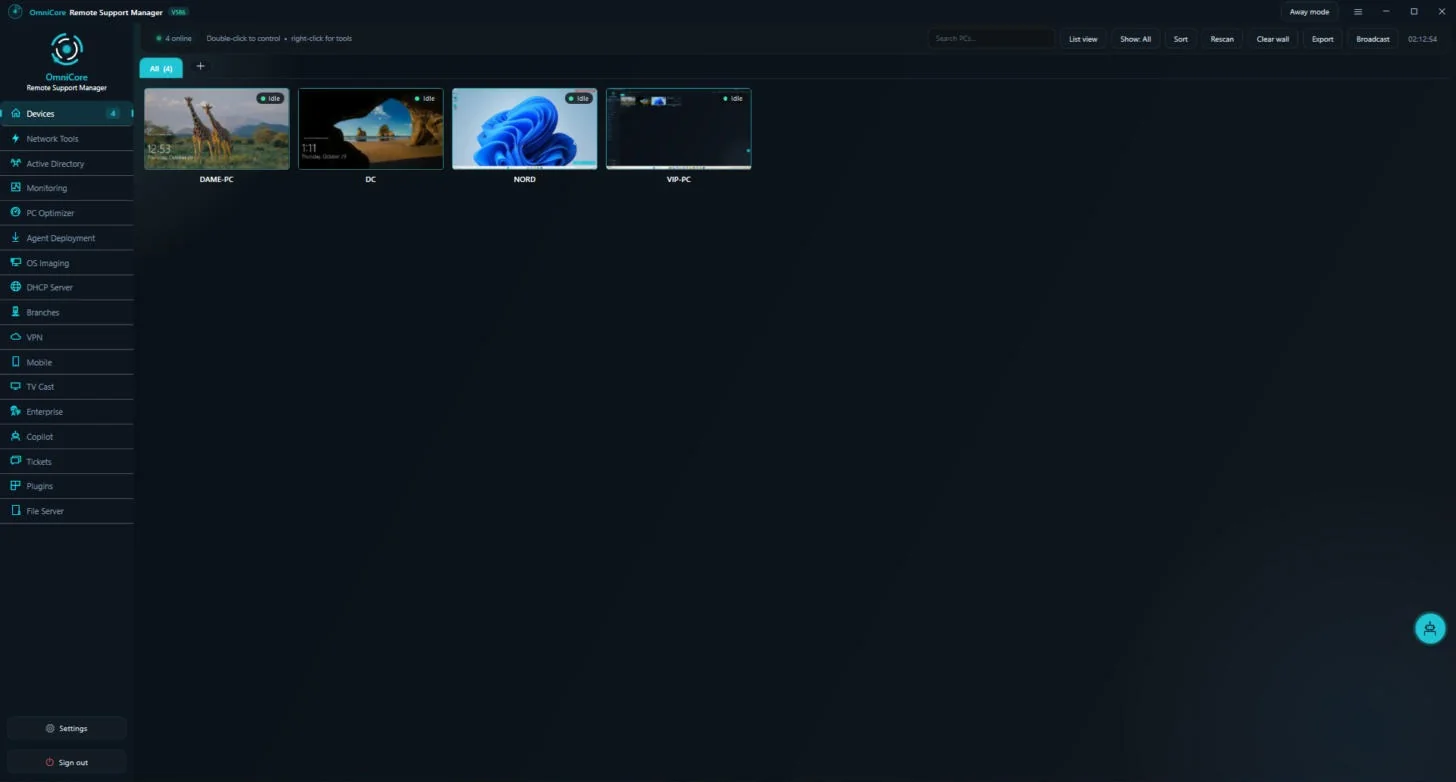
Live device wall
Every PC on one wall with live thumbnails. Hover to enlarge, double-click to take control.
Consent and transparency
The employee sees a clear banner for the whole session that support is viewing the screen.
Remote terminal and tools
CMD and PowerShell as SYSTEM, files, processes and services from a right-click.
AI tickets with Copilot
Employees open tickets; Copilot checks the device, installs fixes and escalates to a technician when needed.
Plugins
A plugin catalog installed per PC: OTP sign-in by SMS or WhatsApp, a password-reset tile on the logon screen, USB blocking and more.
Branches and built-in VPN
Agents in other branches dial in through an encrypted tunnel, with a built-in layer-3 VPN. No third-party VPN.
Network Windows install
Built-in PXE and DHCP servers image new PCs over the network without a separate deployment server.
Active Directory and file server
Deploy agents by GPO, manage shares, NTFS permissions, quotas, DFS and automatic drive mapping.
Monitoring and mobile
CPU, memory and risk per device, with an Android app to support PCs from your phone.
See the systems from the inside
Real screens from the systems in use.
From install to first session
Install the console
One installer on the IT PC. Everything it needs is bundled inside.
Deploy the agents
Push them by Group Policy or from the deployment tab; branches connect through the tunnel.
Support with consent
Open any device; the employee sees the banner and support starts.
Frequently asked questions
What does plugin-based mean?
OmniCore ships with a core console and agent. Features such as OTP sign-in, USB blocking or app updates are plugins you install on the PCs that need them.
Does it need extra software on the server?
No. OmniCore is a single installer. PXE, DHCP, the VPN and the camera decoder are all bundled inside it.
Does it work across branches?
Yes. Agents in other branches connect to the console through an encrypted outbound tunnel, with no port forwarding on the branch side.
Which systems does it support?
Windows PCs and servers, joined to a domain or standalone.